
1. Prepare Windows
Note
Keep track of the Windows settings you change so you can restore them later. If a download is flagged, ask support to verify it.
Open Windows Security
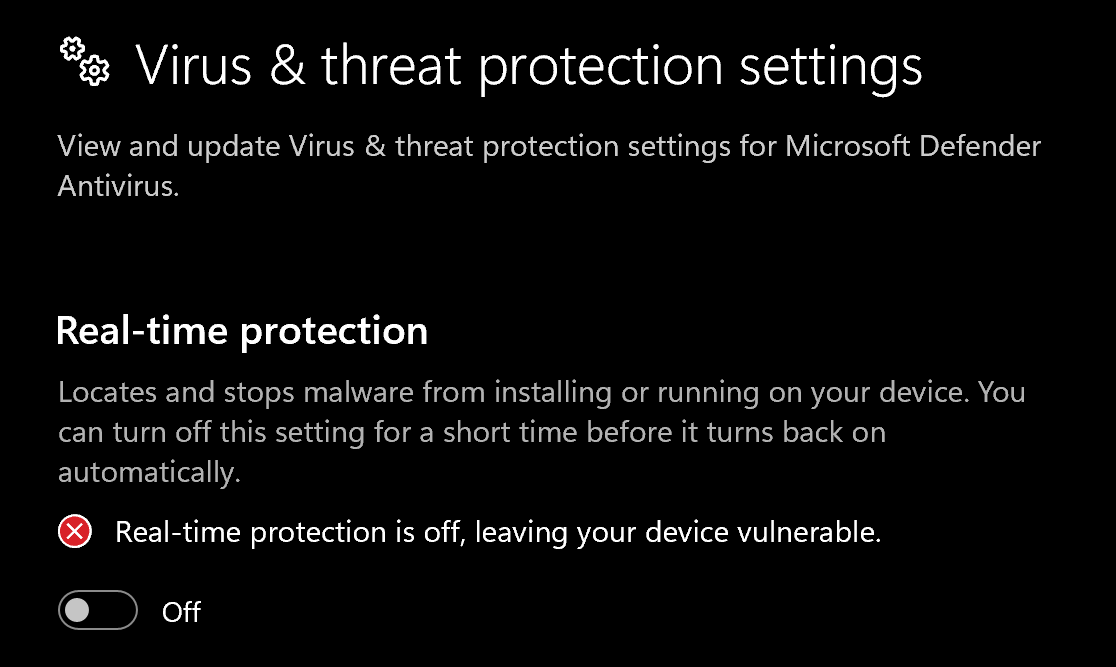
Go to Virus & threat protection → Manage settings and turn off Real-time protection, as shown below.
Configure Exploit protection
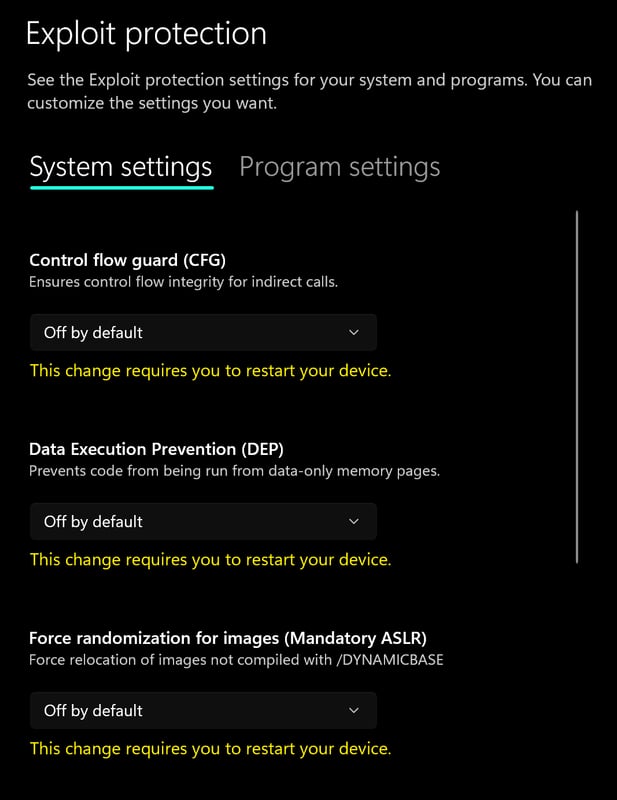
Go to App & browser control → Exploit protection settings. Select Off by default for each option.
Configure Reputation-based protection
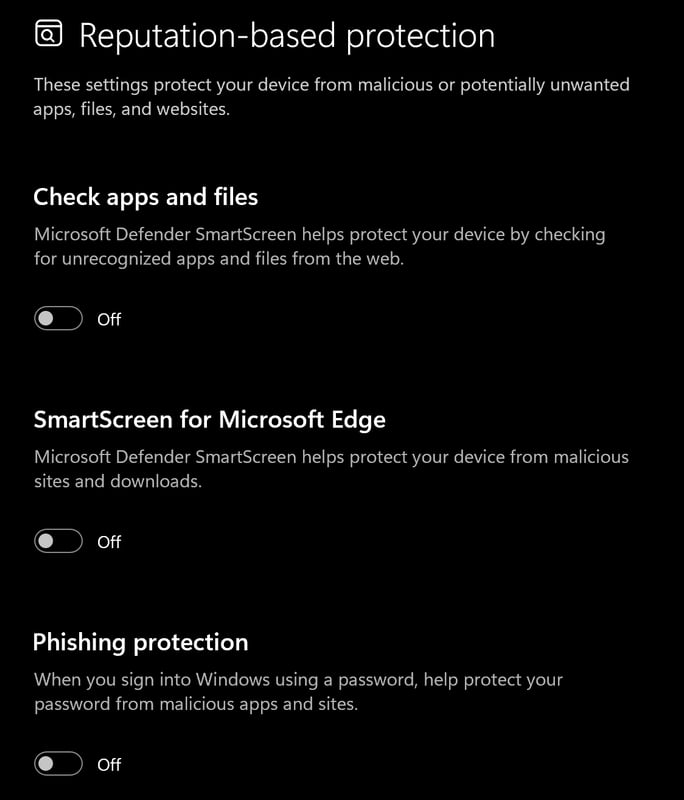
Go to App & browser control → Reputation-based protection settings and turn off all options.
Turn off Memory integrity
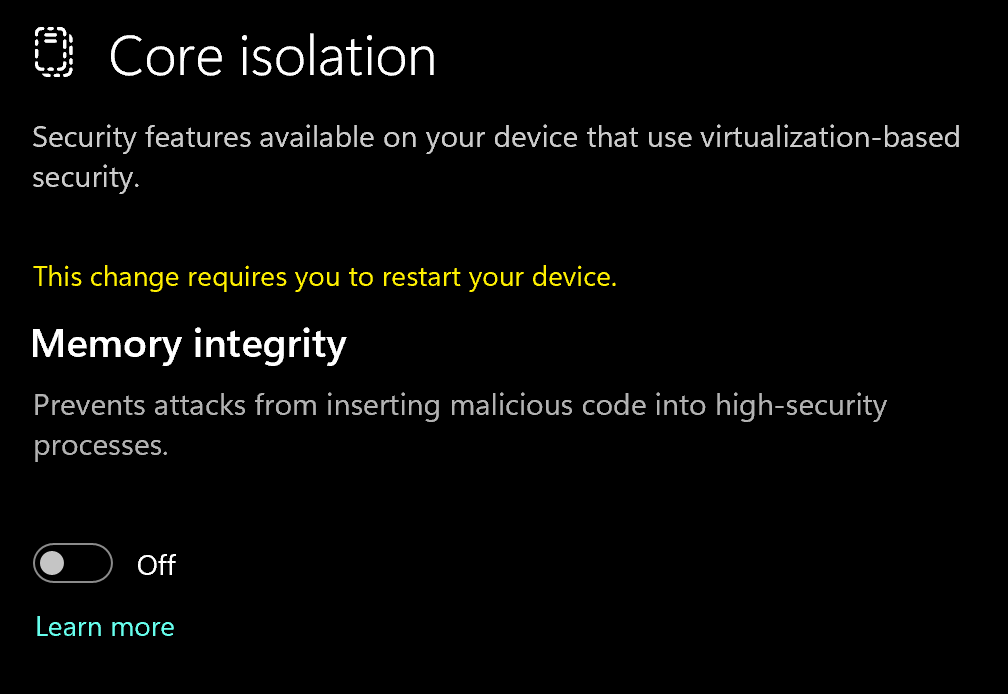
Go to Device security → Core isolation and turn off Memory integrity. Restart Windows to apply the change.
If Windows Defender turns back on
Install WinRAR
Download WinRAR and install it. It is used to extract the archive.
Download DControl
Download DControl.
Extract the archive
Extract the
.rararchive using the password sordum.Disable Windows Defender
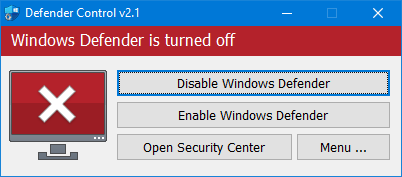
Open DControl, then press Disable Windows Defender.
Install the required files
2. Download the loader
Download Reported
Authorize your license
Find your license key in My Keys. Enter it and click Authorize.
3. Run the spoofer
Change your HWID
Click the small double-arrow icon to change your HWID, then click the check mark icon.
Choose Clean when needed
Select Clean if this is your first use or you have been banned since your last setup. Otherwise, continue to the next step.
Choose whether to generate a new seed
If you get banned frequently and play on many different accounts, check Generate New Seed on Clean.
Run the spoofer
Press Spoof and wait for it to finish.
Note
Restarting Windows restores your normal hardware profile.
Launch your game
Once spoofing has finished, launch your game.
Common errors
Need help?
Open a ticket in our Discord with your product name, the step you reached and the exact error message. Keep license keys and personal details out of screenshots.