
Warning
These steps turn off Windows protections. Keep track of the settings you change.
1. Prepare Windows
Disable Windows Defender
Turn off real-time protection first
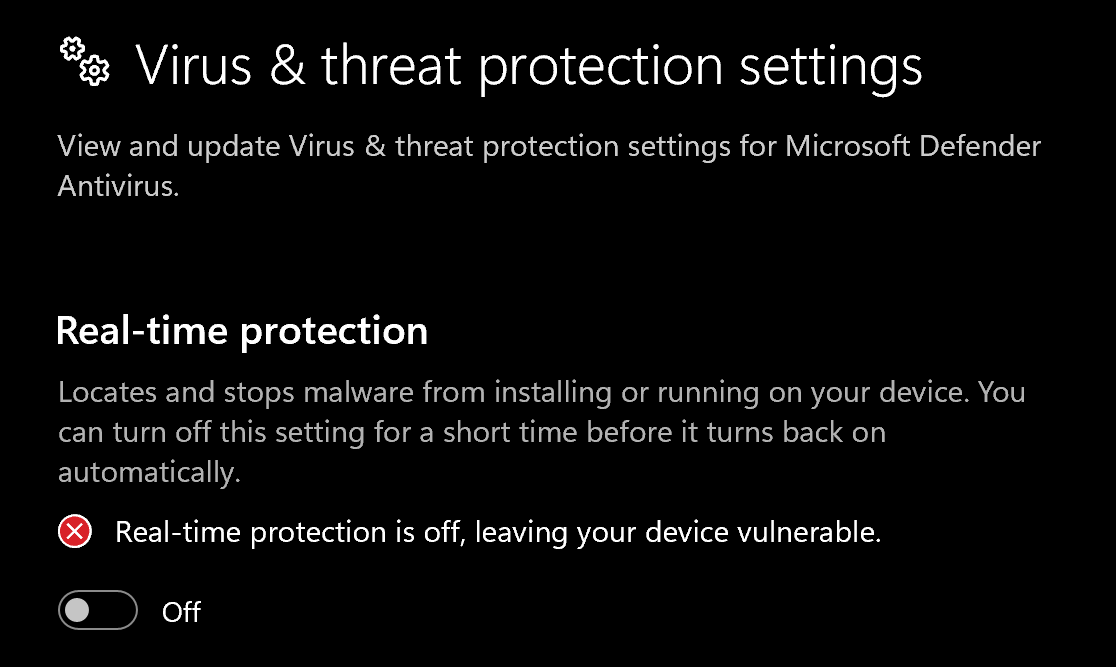
Open Windows Security → Virus & threat protection → Manage settings and turn off Real-time protection and the other toggles shown below before downloading DControl.
Install WinRAR
Download and install WinRAR. You need it to extract the DControl archive.
Download DControl
Download DControl (Defender Control).
Extract the archive
Right-click the downloaded
.rarand extract it. When asked for a password, entersordum.Disable Windows Defender
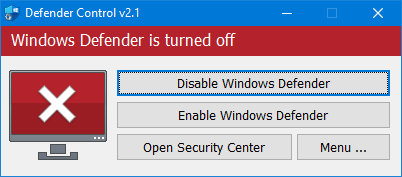
Open dControl.exe and click Disable Windows Defender. The window turns red when Defender is off.
Turn off Exploit protection
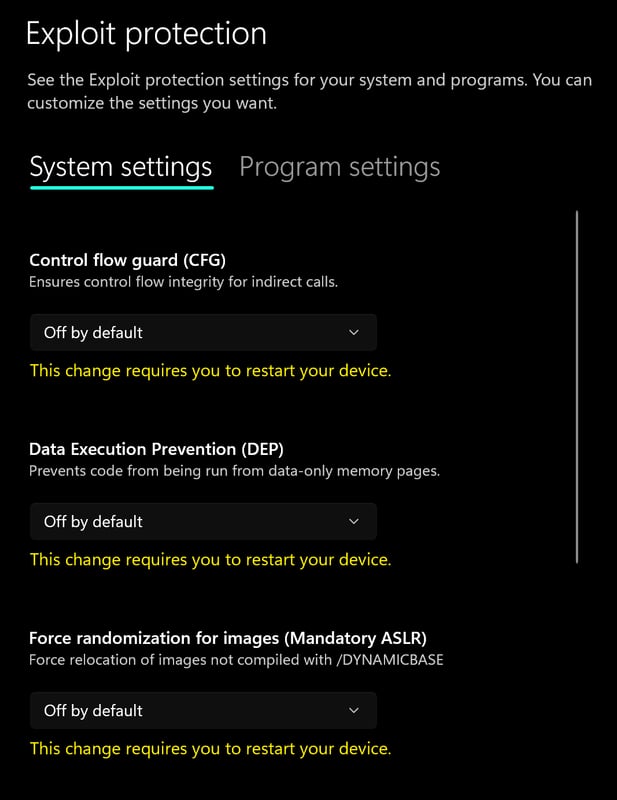
Open Windows Security → App & browser control → Exploit protection settings and set every option to Off by default.
Turn off Reputation-based protection
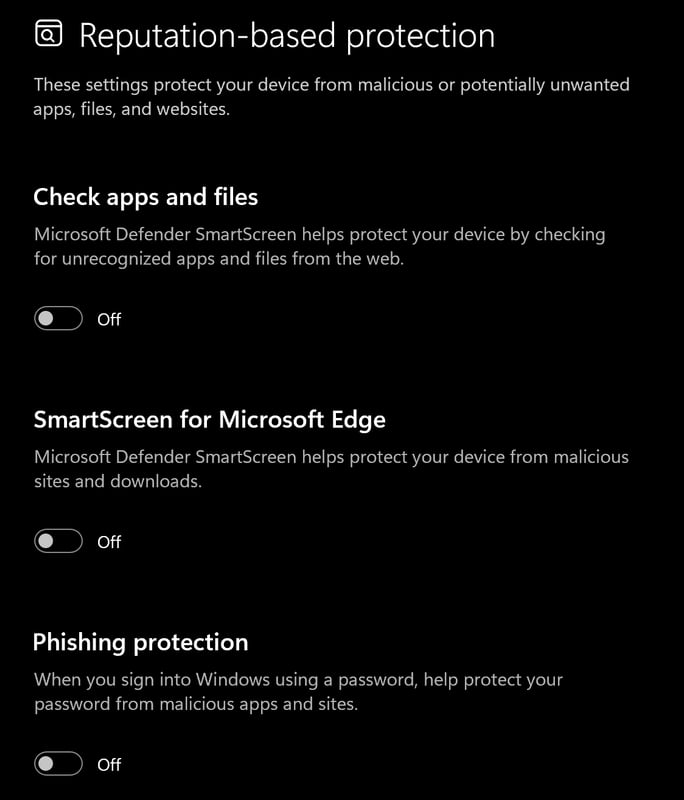
Go to App & browser control → Reputation-based protection settings and turn off all options.
Required files
- Install DirectX Runtimes.
- Install Visual C++ Redistributable (x64).
2. Download the loader
Run the loader as administrator.
Note
Find your license key in your order email or My Keys. Keep it private.
3. Inject & launch
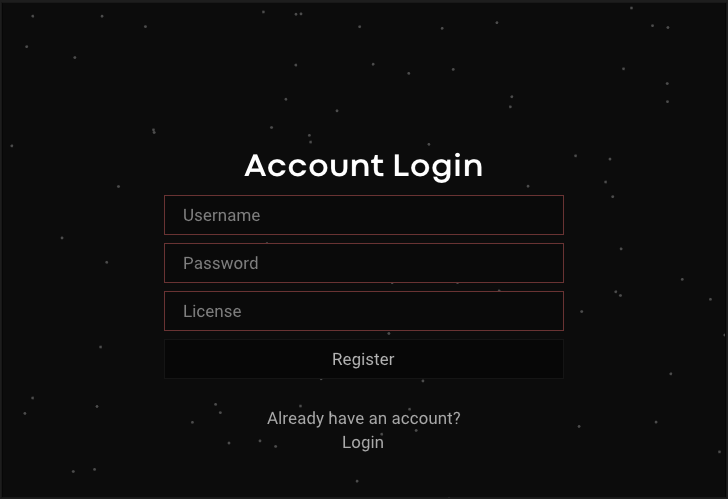
Register or log in
New account: enter a Username, Password and your key in License, then click Register.
Existing account: click Login and sign in with your loader account.
Inject
Select your Rust Internal product and press Inject. At the prompt that Rust will open, load your HWID spoofer if you use one, then press OK. Skip the spoofer step if you do not use one.
Open the menu
Once Rust has opened, press
Insert/INSto show or hide the menu.
Common errors
Need help?
Open a ticket in our Discord with:
- Your product: Disconnect Rust Internal.
- Your Windows version and the step where you stopped.
- The complete error message or a screenshot with your license key hidden.